A decade after its inception, Instagram introduced Reels. These 15 to 30-second videos contain audio, visual, and creative effects. Reels are seen by your followers and in the Explore area (public accounts only). In the Explore area, reels can be seen by anyone and give an individual the chance to grow their following on a global scale. I had not really used them before, so let’s explore reels!
Creating a Reel
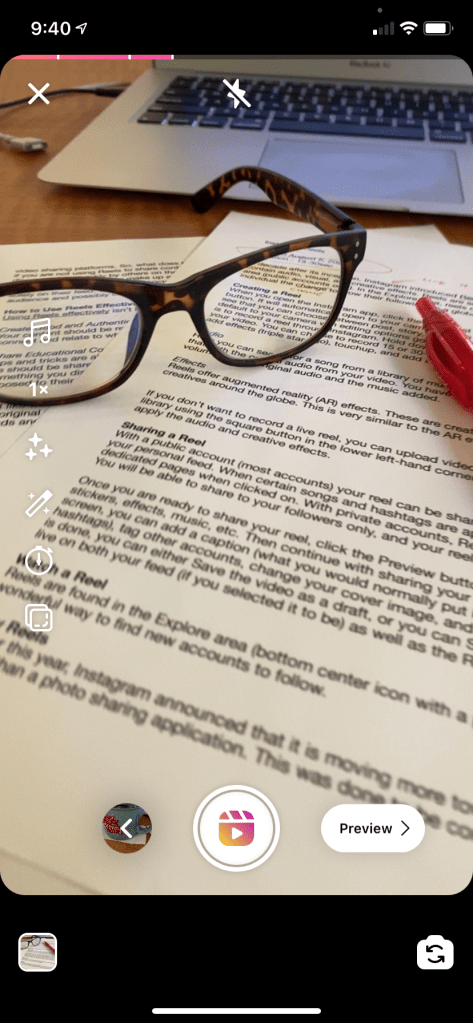
When you open the Instagram app, click the New Post (plus icon in the top right-hand corner) button. It will automatically open to your camera roll. In the bottom right-hand corner, you will see that you can choose between post, story, reels, and live. When you select Reels, it will default to your camera with editing options going down the left hand side of your screen. This is to record a reel through Instagram. Press the video button (bottom center) and record your video. You can choose to record 15 or 30-second clips, add music, increase video speed, add effects (triple star logo), touchup, and add a timer.
Audio
Here you can search from a music library provided by Instagram. Couple that with the original audio from your video, or you can reduce or increase the volume of both original audio and the music added.
Effects
Reels offer augmented reality (AR) effects. These are created by Instagram, as well as other creatives around the globe. This is very similar to the AR effects offered by Snapchat.
If you don’t want to record a live reel, you can upload videos and photos from your photo library using the square button in the lower left-hand corner of the screen. You are still able to apply the audio and creative effects.
Sharing a Reel
With a public account (most accounts) your reel can be shared to the Explore space as well as your personal feed. When certain songs and hashtags are applied, it may also appear on dedicated pages when clicked on. With private accounts, reels follow your privacy settings. You will be able to share to your followers only, and your reels will not be able to be shared.
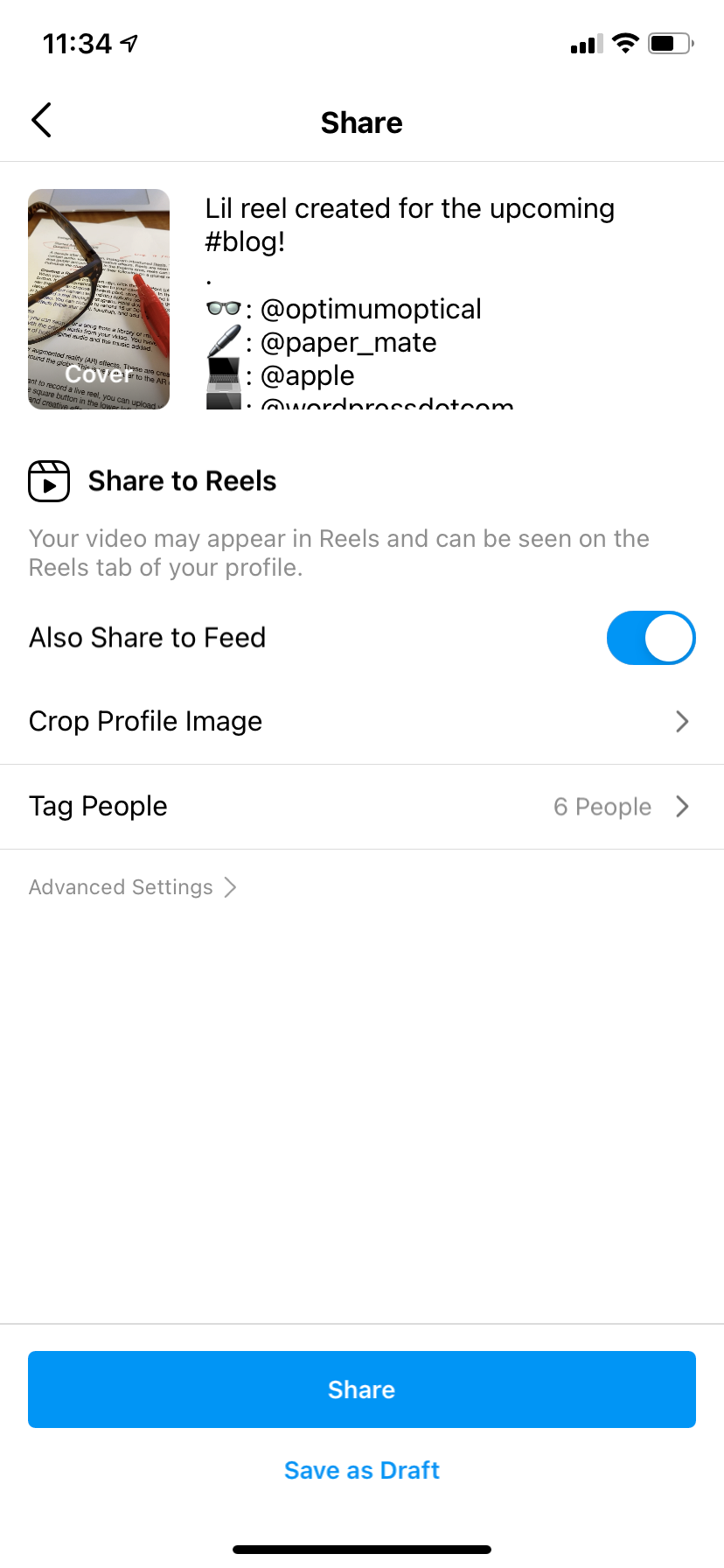
Once you are ready to share your reel, click the Preview button. There you can add text, stickers, effects, music, etc. Then continue with sharing your reel by clicking Next. On the Share screen, you can add a caption (what you would normally put in the body of your post, including hashtags), tag other accounts, change your cover image, and crop the profile image. Once that is done, you can either save the video as a draft, or you can share it. Once shared, it will be live on both your feed (if you selected it to be) as well as the reels tab.
Watch a Reel
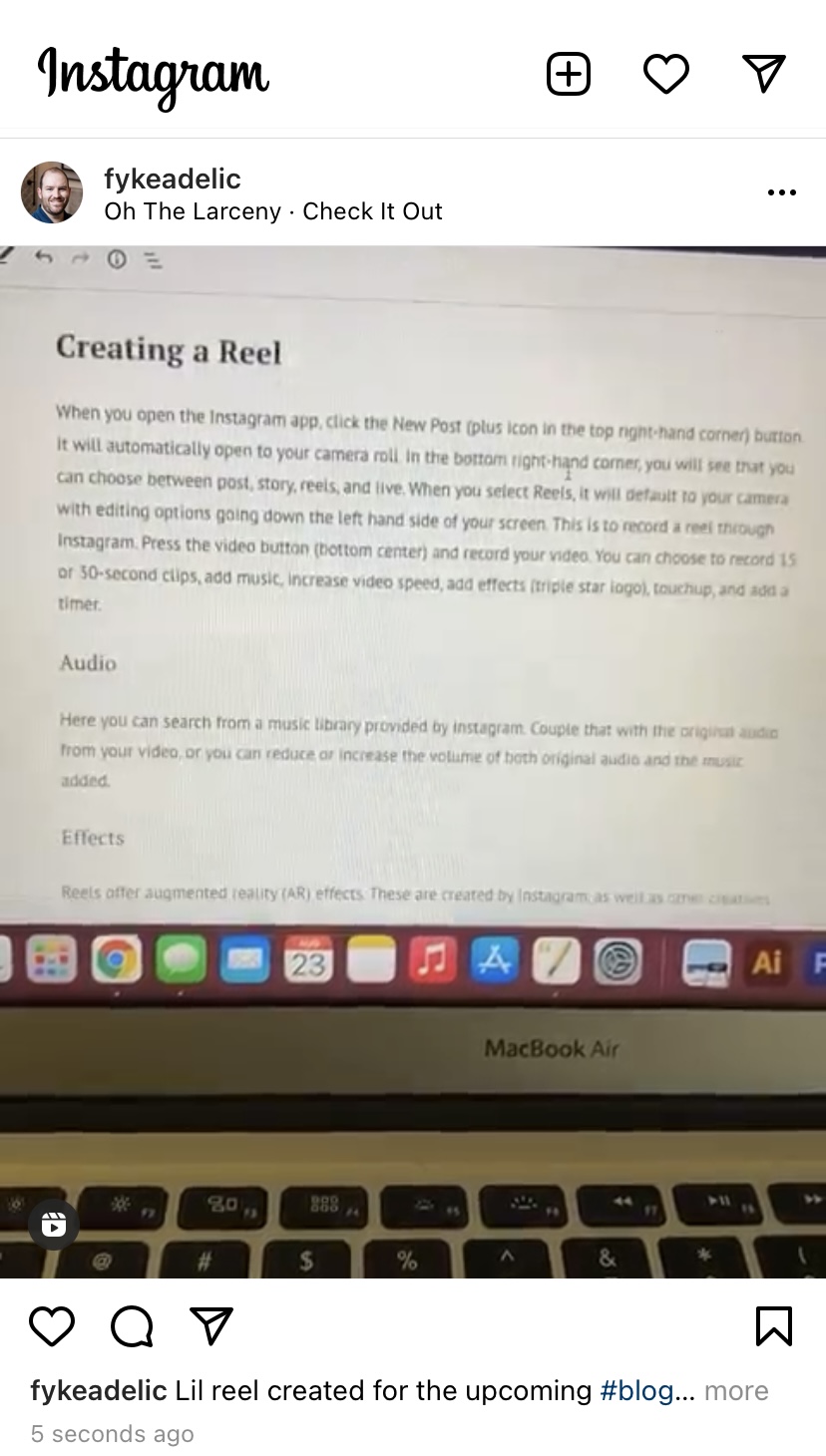
Reels are found in the Explore area (bottom center icon with a play triangle) in Instagram. It is a wonderful way to find new accounts to follow. And, much like TikTok, you can pass time easily by watching what others have created. I don’t claim to be an expert at reels or the best at them, but here is one I quickly put together for this blog.
Why Reels

Earlier this year, Instagram announced that it is moving more toward being more of a video platform, rather than a photo sharing application. This was done to be competitive with TikTok and other video sharing platforms. So, what does this mean for the average Instagram user? Simply put, if you are not using reels to share content, you will get lost in the feed and will not get discovered as quickly by others on the app. Instagram is used as a marketing platform for photographers, as well as make up artists, clothing brands, and many more. These vendors will now need to add reels to their social tool kit in order promote their content rather than rely solely on their feed. Using Reels will keep an organization relevant and will expand their audience and possibly clientele exponentially. Business profiles are now able to create branded content and allow users to shop from their reels. All views need to is select View Products and can buy, save, or learn more about the products featured. Branded content allows creatives to show they are in a paid partnership with a particular brand. This is very popular amongst clothing brands.
How to Use Reels Effectively
Using Reels effectively isn’t hard, but it does take some planning.
Create Good and Authentic Content
Your content should be relevant, fun and informal. Your viewers should be able to personally connect and relate to what is shared.
Share Educational Content
Tips and tricks are always a huge hit with people. Small things that you discover that help your life should be shared! Your original ideas will help position you as an expert in the area. If it is something you discovered from someone else, give them credit! This also allows you to be exposed to their followers.
Tag, Tag, Tag
Just like with your photos, tagging your reels gives credit where it is due, but also shares it with the original vendors and brands. This gives your reel the opportunity to be seen by those brands and shared on their feed.
 Jeff Fyke